
Technology
Should You Upload Personal Documents to an AI Chatbot?
AI chatbots can make confusing documents easier to understand, but personal files may include more sensitive data than people realize. Here is how to decide what is safe to upload.
AI chatbots can help explain confusing documents, but personal files deserve privacy checks before upload. Image: Editorial illustration created for HFD.
It usually starts with a file you do not want to read.
A lease. A medical bill. A tax notice. A school form. An insurance letter. A work PDF that somehow uses 900 words to say one thing and still does not say it clearly.
Then the idea appears: why not upload it to an AI chatbot and ask for the plain-English version?
That instinct makes sense. AI tools are very good at turning dense text into something more readable. They can summarize, translate, organize, explain and point out questions you might want to ask next. Used carefully, they can make an intimidating document feel less like a wall and more like a door.
But a personal document is not just text.
It can contain your address, income, medical details, account numbers, signature, workplace information, family names, client data or enough context for someone to impersonate you with unsettling confidence.
So the real question is not whether an AI chatbot can help.
It can.
The better question is whether this specific document belongs inside this specific chatbot, under this specific account, with these specific privacy settings.
The Upload Button Makes the Decision Feel Smaller Than It Is
Most privacy mistakes do not arrive with sirens.
They arrive as convenience.
You drag a PDF into a chat window. You type, “Can you summarize this?” The answer appears in seconds. No hold music. No customer-service script. No tiny-font document slowly draining your will to live.
That ease is exactly why the moment matters.
When a chatbot reads a document, the service may process the text, store parts of the interaction, attach it to your account history, use it to improve services or treat it differently depending on whether you are using a consumer, business, school or enterprise account. The details vary by product and settings.
The responsibility to check them does not.
OpenAI, Google and Microsoft all publish privacy information and product controls, but they are not interchangeable. A free consumer chatbot is not the same thing as a business workspace. A personal account is not the same thing as an enterprise contract. A temporary chat is not the same thing as a saved conversation.
“AI chatbot” is too broad for a simple yes-or-no answer.
The better question is sharper: what could happen if this document were stored, reviewed, exposed through an account breach, used in a way I did not expect or seen by someone other than me?
If that question makes the upload feel a little heavier, good.
That pause is the safety feature.
Some Files Are Boring. Some Files Are a Map of Your Life
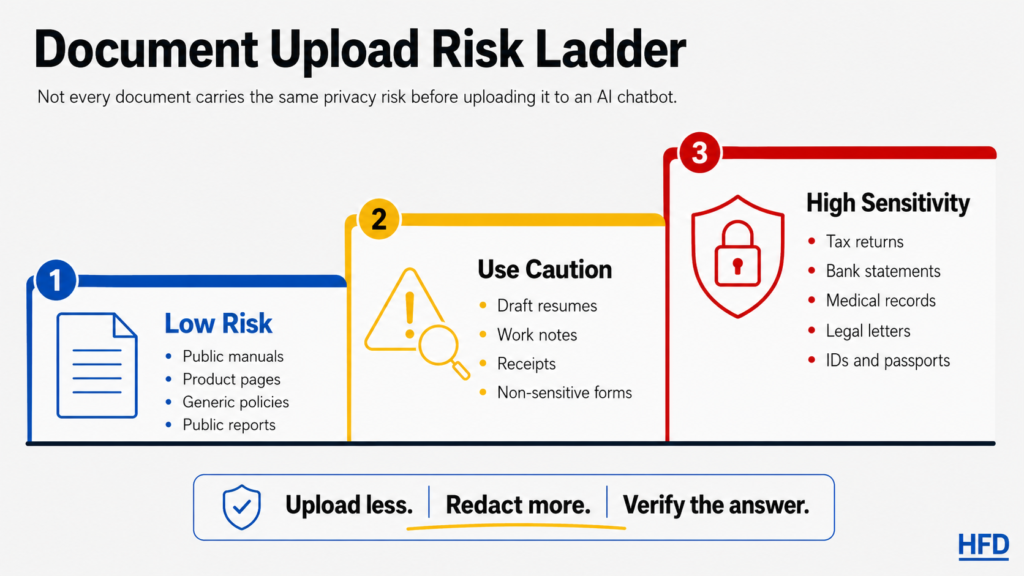
Not every document deserves the same level of worry.
A public user manual is low risk. A recipe PDF is low risk. A warranty page with no personal details is usually low risk. A public report, article or product policy can often be summarized safely because it was not private in the first place.
A bank statement is different.
So is a tax return, medical record, signed lease, legal letter, pay stub, insurance claim, school record, immigration document, client file, employee file or anything involving a child.
Those documents do not only contain information. They contain relationships. They show where money goes, where someone lives, which doctor they saw, what benefits they receive, what problem they are trying to solve and which institutions have power over them.
A bank statement is not just transactions. It can reveal income, debt, subscriptions, donations, travel, medical payments and daily routines.
A resume is not just a career summary. It can include location, work history, education, phone number, email address and enough context to make impersonation easier.
A medical bill is not just a number. It may reveal providers, procedures, diagnoses, insurance details and family information.
A legal letter is not just a letter. It can contain deadlines, names, claims, strategy and consequences.
The file may look ordinary because you have seen it before.
That does not make it ordinary.
Other People’s Data Changes the Rules
There is another trap here: the document may be on your computer, but not fully yours to share.
You may feel comfortable uploading your own resume. That does not mean you should upload a client’s contract, a coworker’s personnel issue, a student’s record, a patient’s information, a family member’s medical paperwork or a confidential file from work.
Privacy is not only about your comfort level.
Sometimes the most sensitive information in the document belongs to someone else.
This matters especially at work. Many companies, schools, hospitals, law offices and agencies have policies about which AI tools can be used with internal or confidential data. If the document came from your job, your first question should not be, “Can the chatbot read this?”
It should be, “Am I allowed to put this there?”
That is less exciting than a productivity hack.
It is also the part that keeps a small shortcut from becoming a serious problem.
The Brand Name Is Less Important Than the Settings
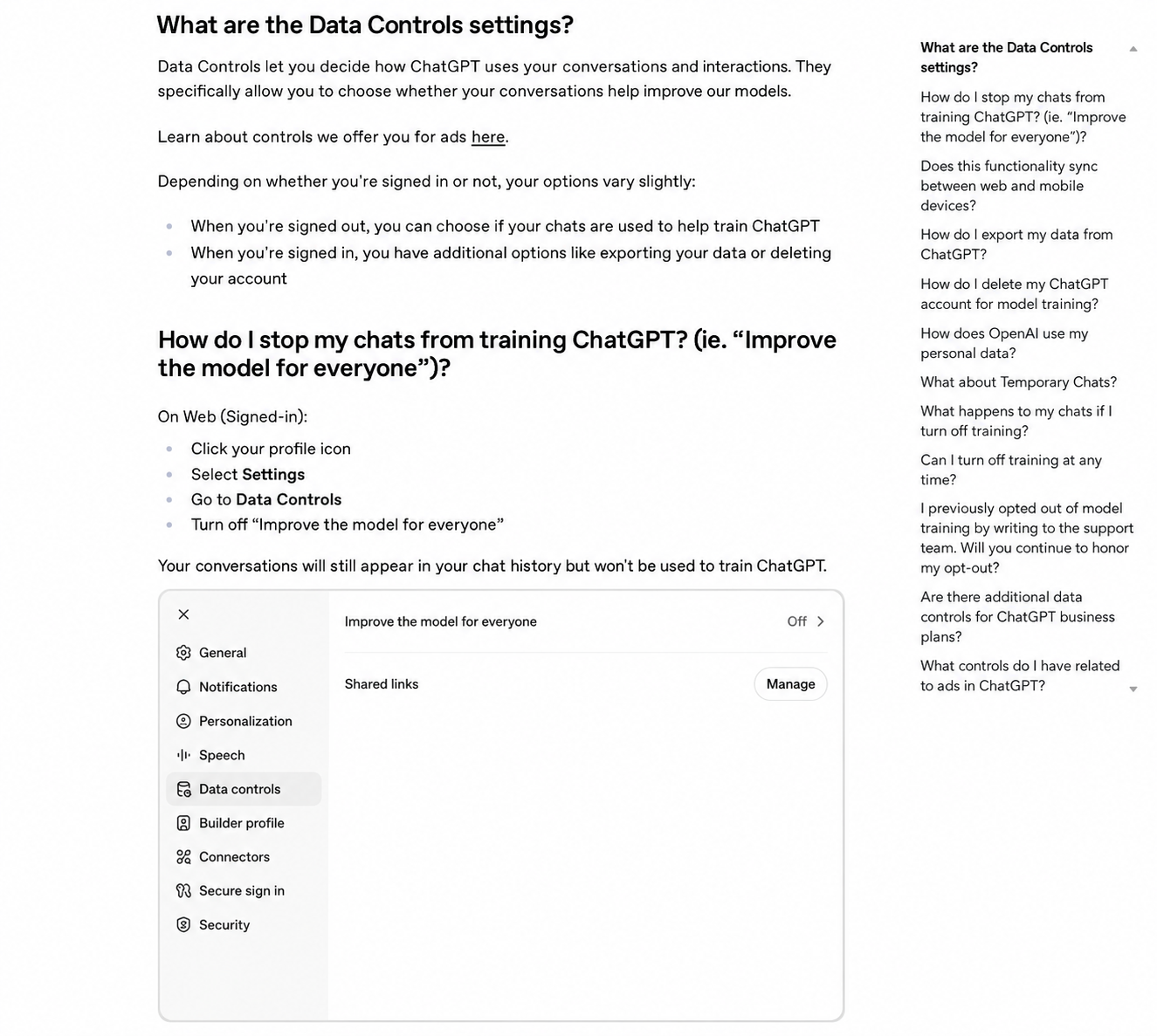
People often ask whether ChatGPT, Gemini or Copilot is “safe.”
That is understandable, but too broad.
Safety depends on the product, the account type, the settings, the document and the reason you are uploading it. It also depends on whether you are using a personal account or a business product with different contractual protections.
OpenAI’s help pages describe controls such as data settings and temporary chats, and note that data from certain business offerings is not used to train models by default. Google tells Gemini users that conversations, uploaded files and related information may be used to provide and improve services, and warns users not to enter confidential information they would not want reviewed or used. Microsoft’s privacy statement describes collection and use of content and interactions across its services, with details depending on the product and account.
The practical lesson is not to memorize every privacy policy.
The practical lesson is to know what mode you are in.
Before uploading a sensitive file, check whether chat history is on, whether your content may be used for model improvement, whether human review is possible, how deletion works, whether files are retained after the conversation and whether your workplace or school has approved that tool for confidential material.
If you cannot find clear answers, treat the tool as unsuitable for sensitive documents.
Convenience is not a privacy setting.
Redaction Helps, but Only If You Actually Remove the Data
One safer path is to remove personal details before asking for help.
That can work well. If you want an AI tool to explain one lease clause, you probably do not need to include your name, address, landlord’s name, signature, rent payment account or full document ID. If you want help understanding a medical bill, you may be able to remove the patient name, member ID, date of birth, provider number and claim number before asking about general billing language.
But redaction has to be real.
Covering text with a black box in a screenshot may not remove the underlying information if the file keeps editable layers. Cropping can leave metadata. PDFs can contain selectable text behind visible markings. Copying and pasting can bring along more than you intended.
The safest version is often boring: create a clean text excerpt that includes only the section you need, rewritten without identifiers.
For example:
This lease clause says the tenant may owe two months’ rent if they leave before the end of the term. What does that mean in plain English, and what should I verify in the original?
That is very different from uploading the entire signed lease.
You are not trying to make the chatbot blind.
You are trying to give it only what it needs.
Some Documents Deserve a Much Higher Bar
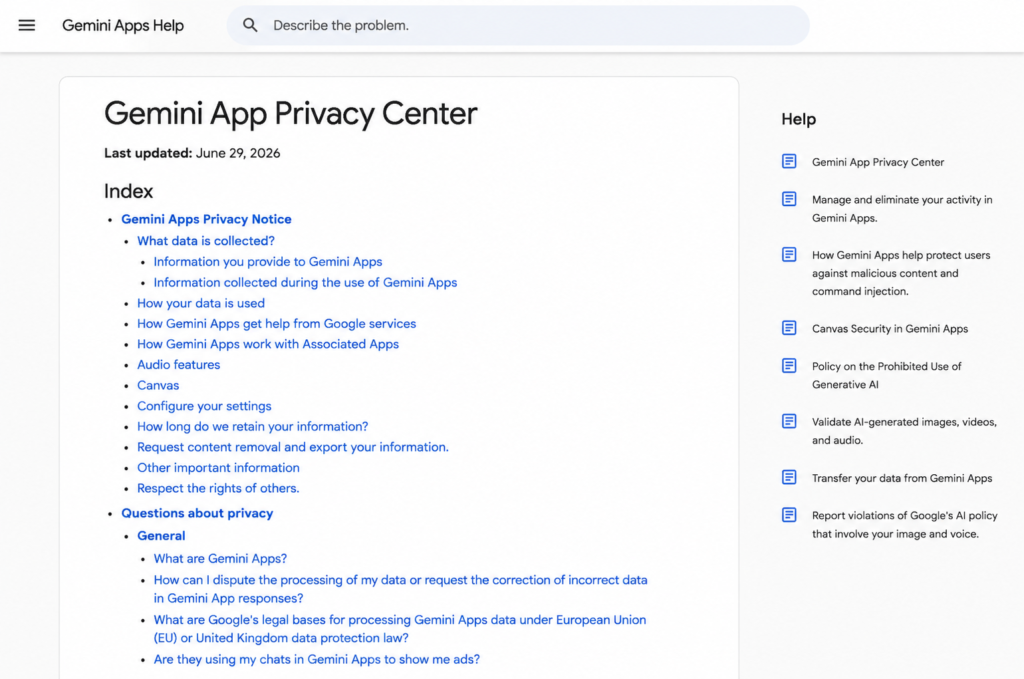
Be especially cautious with government IDs, passports, driver’s licenses, Social Security numbers, tax returns, bank statements, credit-card statements, mortgage documents, insurance claims, medical records, legal letters, immigration documents, school records, employment contracts, pay stubs, confidential work files, client files, source code, unpublished business plans and anything involving minors.
That does not mean AI can never help with a topic connected to those files.
It means the original file may not be the right thing to upload.
Ask a general question instead. Paste a short anonymized excerpt. Remove identifiers. Use an approved business tool when professional confidentiality matters. For high-stakes decisions, ask a qualified person, not only a chatbot.
An AI summary can be useful.
It is not a lawyer, doctor, accountant, HR department or bank.
And if a wrong answer could affect your money, rights, benefits, employment, medical care or legal standing, the chatbot should be a starting point, not the final authority.
A Good Summary Can Still Be Wrong
Privacy is only half the issue.
Accuracy is the other half.
AI chatbots can sound confident while missing exceptions, misunderstanding formatting, skipping footnotes, flattening legal language, confusing dates or turning a conditional sentence into something that feels certain.
This matters because official documents often depend on tiny words.
“Unless.” “Except.” “Within 30 days.” “Subject to approval.” “Not covered.” “After deductible.” “May.” “Must.” “Shall.”
Those words are not decoration.
They are the machinery.
If you use AI to understand a document, ask it to show where in the document it found each answer. Ask what it might be missing. Ask it to list deadlines, obligations, exceptions and uncertainties separately. Then check the original yourself.
The goal is not to make the chatbot sound smart.
The goal is to make your next question better.
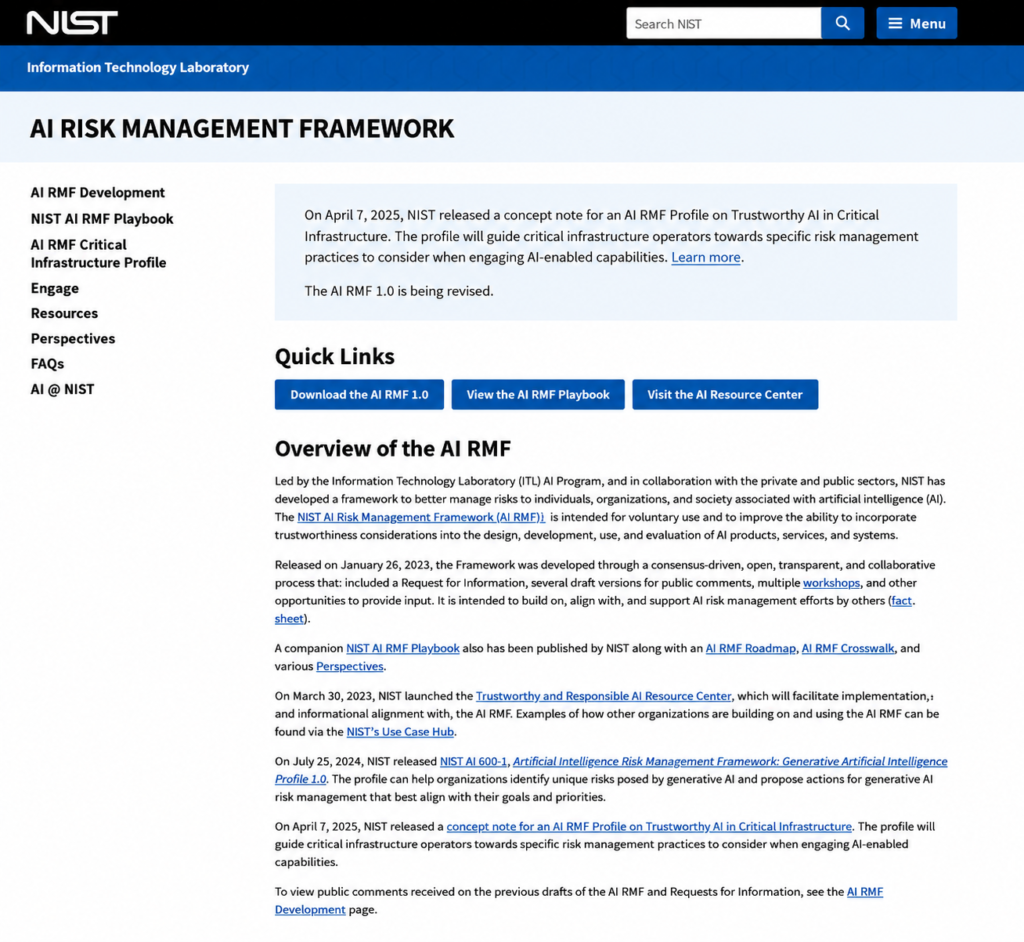
For curious readers: NIST’s AI Risk Management Framework is a useful reference for understanding why AI systems need to be governed, measured and checked, not simply trusted because their answers sound confident. You can view the framework and download official materials from NIST’s AI Risk Management Framework page.
A Simple Test Before Uploading Anything
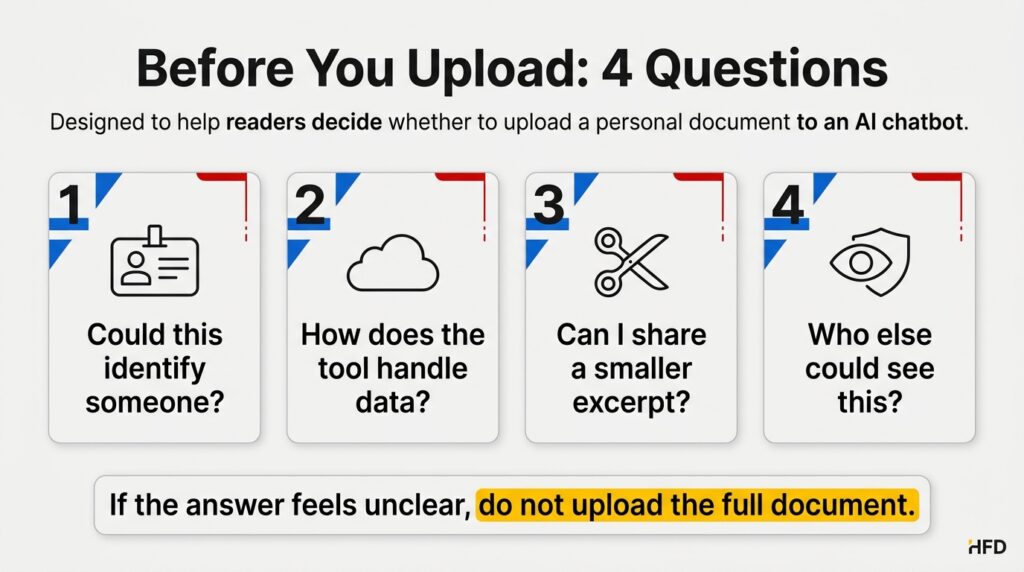
Before uploading a document, ask four questions.
First: does this file contain information that could identify, embarrass, expose, impersonate or financially harm me or someone else?
Second: do I understand how this chatbot handles uploaded files, chat history, human review, deletion and model training?
Third: can I get the same help by pasting a smaller anonymized excerpt instead of the whole document?
Fourth: would I be comfortable if this document were seen by a reviewer, support worker, future account administrator, compromised account or unintended recipient?
That last question is uncomfortable because it is supposed to be.
If the answer is no, slow down.
You may still be able to use AI. Ask a general question. Remove identifiers. Use a business-approved tool. Ask a professional. Or do the old-fashioned thing and read the painful PDF with coffee and quiet resentment.
Not every modern convenience deserves full access to your life.
When Uploading Can Make Sense
There are reasonable uses.
Uploading a public manual to ask how a setting works can make sense. Uploading a product warranty with no personal information can make sense. Uploading a long public report for summary can be useful. Uploading your own draft resume after removing contact details may be reasonable if you understand the service settings.
The key is proportionality.
The more sensitive the document, the more protection you need. The more ordinary the document, the lower the risk. The more important the decision, the more you should verify the answer outside the chatbot.
AI is best when it helps you understand something faster.
It is worse when it makes you forget that the thing being uploaded was private in the first place.
A Safer Way to Ask for Help
Instead of uploading a full document, try this:
I am trying to understand a document. I will paste a short excerpt with personal details removed. Please explain it in plain English, list any obligations or deadlines, and tell me what I should verify in the original.
Then paste only the relevant section.
For a contract, ask for obligations, deadlines, penalties, cancellation terms and unclear language. For a bill, ask it to separate charges, discounts, insurance adjustments and amounts due. For a policy, ask what is covered, what is excluded and which phrases deserve careful reading.
Then go back to the original document.
The chatbot can help you find the door.
You still need to check where it leads.
The Real Answer Is Not “Yes” or “No”
So, should you upload personal documents to an AI chatbot?
Sometimes, but not casually.
Use AI freely for public, generic or low-risk documents. Be cautious with personal files. Avoid uploading highly sensitive documents unless you clearly understand the tool, account type, privacy controls and consequences. When possible, paste only the minimum anonymized text needed for the question.
The best AI tools can make confusing documents easier to understand.
That is valuable.
But a personal document is not just information. It is a small map of your life: where you live, what you earn, what you owe, what you are worried about, who you work with and what you are trying to fix.
Before you hand that map to a chatbot, make sure the shortcut is worth the exposure.
Related reading: If you want to go deeper into how institutions think about AI risk, NIST’s AI Risk Management Framework is a strong starting point. It explains why AI output should be governed, mapped, measured and managed, especially when the answer seems confident. Official downloads are available on the NIST AI Risk Management Framework page.
Related reading II: AI tools can make information easier to understand, but evidence still needs careful checking. For another example of how claims should be handled with caution, read what the evidence really says about possible signs of ancient life on Mars.
FAQ
Is it safe to upload documents to ChatGPT, Gemini or Copilot?
It depends on the document, product, account type and privacy settings. Public or low-risk documents are usually less concerning. Sensitive documents such as tax forms, IDs, medical records, bank statements and confidential work files require much more caution.
Can AI companies use uploaded documents to train models?
Rules vary by company, product, account type and settings. Some consumer tools may use content to improve services unless users change controls, while many business or enterprise products have different terms. Check the current privacy and data-control settings before uploading.
What personal documents should I avoid uploading to an AI chatbot?
Be very cautious with government IDs, tax returns, bank statements, medical records, legal documents, pay stubs, confidential work files, client data, school records and documents involving minors.
Is it enough to remove my name before uploading a document?
Not always. Documents can identify you through addresses, account numbers, dates, employers, transaction patterns, case numbers, metadata or unique context. Remove all unnecessary identifiers, not just your name.
Can an AI chatbot give legal, medical or financial advice from my documents?
It can explain language and help organize questions, but it should not replace a qualified professional for legal, medical, tax or financial decisions. Use AI output as a starting point and verify important conclusions.
What is the safest way to use AI with a personal document?
Do not upload the full file unless necessary. Paste a short, anonymized excerpt, ask for plain-English explanation, request uncertainties and then verify the answer against the original document.
Sources
- OpenAI Privacy Policy
- OpenAI Help Center – Data Controls FAQ
- OpenAI Help Center – How your data is used to improve model performance
- Google Gemini Apps Privacy Hub
- Microsoft Privacy Statement
- NIST AI Risk Management Framework
