
Technology
AI Phones 2026: What Buyers Should Check Before Upgrading
AI phones can help with writing, translation, photo editing and smarter search, but buyers should check model support, privacy controls and update promises before paying extra.
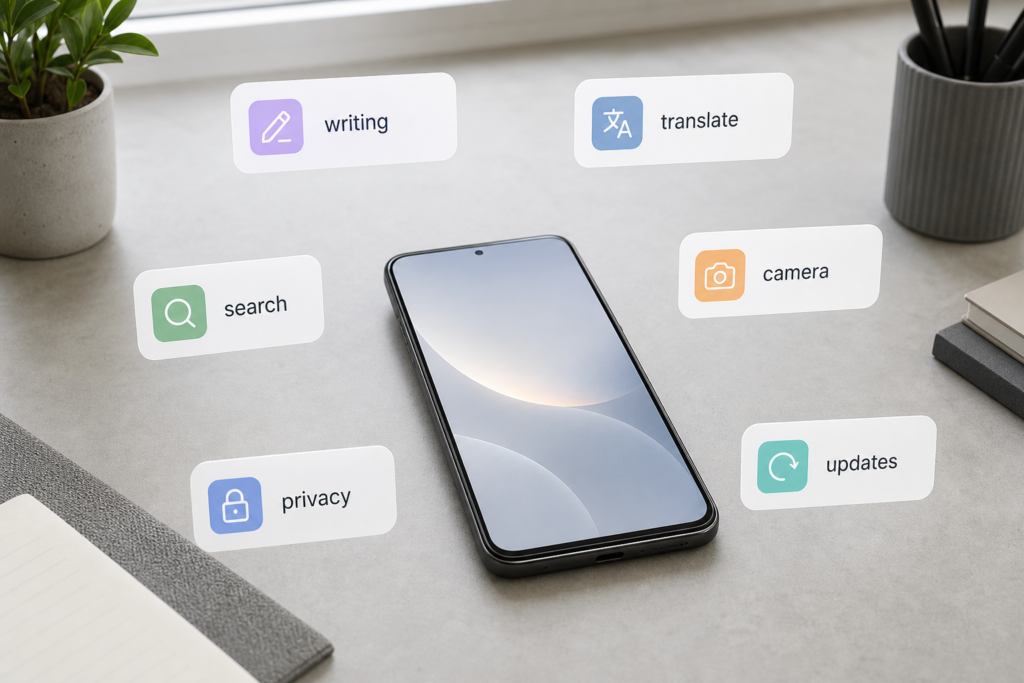
AI phones are becoming normal as writing, translation, search, camera editing, privacy and update features move into everyday smartphone use.
The strangest thing about AI phones is how quickly they stopped feeling strange.
Not long ago, artificial intelligence on a phone meant a separate chatbot app, a camera mode with a dramatic name or a keyboard that guessed the next word slightly better than before. Now it is turning up everywhere: in the camera, in the gallery, in the voice assistant, in notes, in search, in calls, in messages and sometimes in places where nobody asked for it at all.
That is the shift buyers need to understand.
An AI phone is still a phone. It still needs good battery life, a reliable camera, enough storage, long software support and a price that does not make the monthly bill feel like a second rent payment. But the sales pitch has changed. Phone makers are no longer just promising sharper photos and faster chips. They are promising a device that can rewrite your message, summarize your notes, translate a call, identify what is on your screen, clean up a photo and help you find the thing you forgot where you saved.
Some of that is genuinely useful.
Some of it is showroom glitter.
The buyer’s job is learning which is which.
On this page
- What an AI phone actually is
- Why every phone suddenly wants the AI label
- Best AI phones 2026: quick picks by buyer type
- The AI features buyers may actually use
- The features that still feel like marketing
- On-device AI versus cloud AI
- How Apple, Samsung and Google differ
- The buying checklist
- FAQ
What an AI phone actually is
An AI phone is not a new species of device. It is a smartphone with AI features woven more deeply into the system.
Phones have used machine learning for years. Portrait mode, face unlock, spam filtering, voice typing, predictive text, night photography and image stabilization all depend on software making judgments in the background. The new wave is different because the AI is more visible, more conversational and more ambitious.
Instead of quietly improving a photo, the phone may offer to remove a person from the background. Instead of only transcribing your voice, it may summarize the recording. Instead of making you open a browser and describe what you see, it may let you circle something on the screen and search it immediately. Instead of asking a voice assistant to set a timer, you may ask it to find an email, create a reminder from a message or explain what is in front of the camera.
That is the practical definition: an AI phone is a phone where the assistant, camera, keyboard, search and personal information tools are designed to work together.
The important part is not the label.
It is where the intelligence is allowed to appear.
Why every phone suddenly wants the AI label
The smartphone market has a problem. Most good phones are already good.
Screens are bright. Cameras are competent. Battery life is acceptable on many models. Even midrange phones can feel fast enough for normal use. That makes it harder for brands to persuade people that this year’s phone is meaningfully different from last year’s phone.
AI gives the industry a new story.
Apple is building Apple Intelligence and Siri more deeply into iPhone, iPad and Mac. Samsung has turned Galaxy AI into a major part of its phone identity, with features for writing, translation, image editing and daily briefings. Google is putting Gemini at the center of the Pixel experience, especially for search, camera help and assistant tasks. Qualcomm is pushing on-device AI through Snapdragon chips, where a phone can run more AI work locally instead of sending every request to a server.
That does not mean every AI claim deserves equal weight.
A premium phone with a strong neural processing unit, long updates and system-wide AI tools is different from a cheap phone whose product page says “AI camera” because the camera app recognizes scenes. A brand name that includes “AI” is not the same as a phone that can run useful AI features well. The Ai+ NovaFlip 5G product page, for example, is useful as a reminder that buyers should inspect the actual feature list, not just the name on the box.
This is where the old buying habit breaks down. You cannot judge an AI phone only by asking, “Does it have AI?”
Almost everything will say yes now.
The better question is: what does it do, where does it run, and will I actually use it?
Best AI phones 2026: quick picks by buyer type
If you came here looking for the best AI phone, start with the job you want the phone to do. A great AI phone for one buyer may be the wrong one for someone who cares more about price, privacy controls, iOS, foldables or Google services.
These are the practical short-list picks to compare first.
Affiliate disclosure: As an Amazon Associate, HFD earns from qualifying purchases.
| Buyer type | Start with | Why it makes sense | Check before buying |
|---|---|---|---|
| Best overall AI phone | Google Pixel 10 Check price at Amazon | Strong Gemini integration, screen-aware help, camera AI and fast access to Google’s newest phone features. | Make sure you are comfortable living deeply inside Google services. |
| Best Android AI phone | Samsung Galaxy S26 Ultra Check price at Amazon | Broad Galaxy AI tools, strong hardware, writing help, translation, image editing and Samsung privacy settings. | Check whether the AI feature you want runs on-device, in the cloud or only in certain regions. |
| Best iPhone for AI | iPhone 17 Pro Max Check renewed price at Amazon | Apple Intelligence is tightly integrated into iOS, Siri, Photos, writing tools and Visual Intelligence. | Do not assume older or discounted iPhones receive the same Apple Intelligence features. |
| Best budget AI phone | Google Pixel 10a Check price at Amazon | The clearest lower-cost route into Gemini-powered phone features without flagship pricing. | Compare camera, storage and performance tradeoffs against the regular Pixel 10. |
| Best foldable AI phone | Motorola Razr 70 Ultra / Razr Ultra (2026) Check price at Amazon | Interesting if you want a flip phone that can use multiple AI assistants instead of locking you into one approach. | Availability, update policy and long-term foldable durability matter more than the demo. |
| Best for privacy controls | Samsung Galaxy S26 family Check S26 Ultra price at Amazon | Samsung gives users visible controls for local versus cloud AI processing on supported Galaxy AI features. | Turning on stricter on-device processing can limit or reduce some AI tools. |
Treat this as a first filter, not the final answer. Prices, carrier deals, update promises and feature availability can change quickly. The smartest move is to compare the exact model you can buy today against the AI tasks you will actually use tomorrow.
The AI features buyers may actually use
The useful features tend to show up in ordinary moments.
You are writing a message and want it to sound less abrupt. You are looking at a restaurant menu in another language. You are trying to copy text from an image where the app will not let you select anything. You are cleaning up a vacation photo with a stranger in the background. You are searching for the name of a jacket, a plant, a landmark or a product you saw in a video.
Those are the moments where AI can stop feeling like a keynote demo and start feeling like a shortcut.
The strongest buyer-facing features usually fall into six groups.
Writing and rewriting. These tools can proofread, shorten, change tone, summarize and draft text inside messages, email, notes or the keyboard. The good version keeps your meaning and saves a few taps. The bad version turns a normal sentence into corporate fog.
Search from the screen or camera. Circle to Search, visual search and screen-aware assistants matter because they meet the reader where they already are. You see something, circle it or ask about it, and the phone tries to identify it. Reddit discussions about phone AI repeatedly point to this kind of feature as one people actually use, especially for product searches, text extraction, translation and identifying images.
Translation and captions. Live translation, interpreter tools and translated captions are among the clearest real-world uses. They can help during travel, calls, messaging and accessibility moments. The catch is language support. A translation feature that does not support the language pair you need is a beautiful door with no handle.
Photo cleanup. Object removal, reflection removal, generative fill and improved photo search can be genuinely handy. They also raise the obvious question: does the result still look like a real photo, and does the phone or service mark AI-edited content when that matters?
Summaries and transcription. Meeting notes, call notes, voice recordings, long web pages and message threads are natural AI targets. These features can help people who live in information overflow. They can also be dangerously confident when accuracy matters, so summaries should be treated as drafts, not records.
Assistant actions. This is the long-term prize. The best version is a phone that can understand context and take small actions: create a reminder, find a document, pull a confirmation code from email, add a calendar event or answer a question about what is on screen. The weak version is just a chatbot in a new costume.
The theme is simple: useful AI reduces friction in something you were already trying to do.
It should not create a new chore called “managing my AI features.”
The features that still feel like marketing
Some AI features look better in a demo than they feel in daily life.
The first warning sign is vagueness. If a phone promises an “AI camera” but does not explain what the AI changes, how it works or when it helps, treat the phrase as decoration. Scene detection and beautification filters are not new just because the page discovered larger typography.
The second warning sign is isolation. A feature that only works in one app, one language, one region or one brand account may still be useful, but it is not the same as system-wide intelligence. Buyers should ask where the feature appears: keyboard, gallery, recorder, phone app, browser, assistant, camera, messages or only a preinstalled demo app.
The third warning sign is forced usefulness. If a phone keeps pushing summaries, generated messages and assistant prompts into places where you do not need them, the feature may become noise. A good AI phone should make common tasks easier without making the interface feel like a sales meeting.
The fourth warning sign is unclear cost. Some features are free today and could become paid later. Samsung’s support language, for example, distinguishes Samsung’s basic Galaxy AI features from enhanced or third-party AI features that may have different terms or fees. That kind of wording is not automatically bad. It is just something buyers should notice before treating AI as a permanent free bonus.
The final warning sign is weak support. AI phones improve through software. A phone with flashy AI at launch but short update support may age badly. A less dramatic phone with years of updates may become more useful over time.
On-device AI versus cloud AI
This is the most important technical distinction in the whole purchase.
On-device AI runs directly on the phone. Cloud AI sends the request to remote servers. Many features use both.
On-device processing can be faster, more private and more useful offline. It is well suited for smaller tasks such as dictation, local photo analysis, keyboard suggestions, some translation, basic summaries and quick image operations. Qualcomm describes on-device AI as a way to keep more work local for speed, privacy and responsiveness, and Samsung Semiconductor makes the same broad point about reducing latency and avoiding unnecessary cloud dependence.
Cloud AI can handle heavier tasks. Big image generation, complex assistants, long summaries, advanced photo and video processing, and web-connected answers often need server-side models. The tradeoff is that the phone may send text, images, voice or context away from the device.
That does not automatically mean cloud AI is unsafe. It means buyers should know the terms.
- What data leaves the phone?
- Is it stored?
- Is it used to train models?
- Can history be deleted?
- Does the feature involve a third-party AI provider?
- Does it work without a network connection?
- Can cloud processing be turned off?
Apple says Apple Intelligence combines on-device processing with Private Cloud Compute for more complex requests, with privacy protections around storage and request use. Samsung says Galaxy users can choose whether Galaxy AI data is processed locally or in the cloud for supported features, and Samsung support documents describe a setting to process data only on device. Google says Gemini is the default assistant on Pixel 9 and later phones, with Gemini available on broader Pixel devices that meet requirements, and its support page warns users not to rely on Gemini for professional advice.
The practical point for buyers is not to memorize every architecture diagram.
It is to stop treating “AI” as one thing.
Some AI lives in the phone. Some lives in the cloud. Some lives in a terms-of-service document nobody wants to read at 11:47 p.m. before checkout.
If you want the same privacy question in a more practical setting, HFD has a separate guide on whether you should upload personal documents to an AI chatbot.
How Apple, Samsung and Google differ
Apple, Samsung and Google are all selling AI phones, but they are not selling the same idea.
Apple’s pitch is integration and privacy. Apple Intelligence is presented as AI built into apps and personal context, with on-device processing and Private Cloud Compute for complex requests. Apple is also expanding Siri, Visual Intelligence, writing tools, photo editing and live translation. The buyer angle is clear: if you want AI inside the Apple ecosystem, check exact iPhone support before buying used or discounted. Older iPhones may still be excellent phones without receiving the full AI feature set.
Samsung’s pitch is breadth and control. Galaxy AI spans writing, translation, photo editing, search, briefings and connected-device security. Samsung’s pages emphasize features like Writing Assist, Interpreter, Note Assist and Circle to Search, while its support docs point out that feature availability varies by device and software version. The buyer angle: Samsung is strong for people who want many tools now, but you should check the model, region, accounts and settings.
Google’s pitch is assistant-first intelligence. Pixel puts Gemini close to the center of the phone, especially for voice, camera, search and Google app connections. Google Store currently presents Pixel 10 models, including Pixel 10, Pixel 10 Pro and Pro XL, Pixel 10 Pro Fold and Pixel 10a. Google’s Pixel help says Gemini is the default assistant on Pixel 9 and later phones and can connect with services like Gmail, Maps and YouTube. The buyer angle: Pixel makes the most sense if you already live in Google services and want AI woven into search and assistant behavior.
There are other players too. Motorola, OnePlus, Xiaomi, Honor, Oppo, Vivo, Nothing and smaller brands are all experimenting with AI features. Some may offer excellent value. Some may advertise AI more aggressively than they deliver it. For U.S. buyers especially, the tricky part is regional availability, carrier support, update promises and whether the advertised feature exists on the version actually sold where they live.
The brand matters.
The exact model matters more.
The buying checklist
Before paying extra for an AI phone, slow the decision down. The best checklist is not complicated.
- Check the exact model. Do not assume a feature works on every phone from a brand. Look up the model name, storage tier, chip, RAM and software version.
- Check your language and region. Translation, call tools, writing tone, voice assistants and live captions often launch in stages.
- Check whether the feature is local, cloud-based or mixed. This affects privacy, speed, offline use and reliability.
- Check account requirements. Some features may require an Apple, Samsung, Google or third-party account.
- Check whether you can turn it off. AI should be a tool, not a roommate with no lease.
- Check update support. AI phones will change through software. Long OS and security updates are part of the value.
- Check subscription risk. If a feature is free now, read whether that means free permanently, free as a basic tier or free during a promotional period.
- Check fundamentals. Battery life, camera quality, storage, display, durability, repair options and price still matter. AI does not rescue a phone that annoys you every day.
That last point is the one buyers should keep close.
An AI phone is not automatically a better phone. It is a phone with a new layer of assistance. If that layer helps with tasks you already do, it can be worth caring about. If it mostly adds buttons, prompts and vague promises, buy the better phone, not the louder acronym.
Who should care most about AI phones?
AI features matter most if you write a lot on your phone, travel across languages, manage heavy messages, use voice commands, take and edit many photos, rely on accessibility features or keep a phone for several years.
They matter less if your phone life is mostly calls, banking, maps, browsing, messaging and casual photos. In that case, a great non-flagship phone may be the smarter purchase, even if it has fewer AI tricks.
The middle group is where most buyers live. They may not need an AI phone, exactly. But their next phone will probably have AI anyway.
That makes the real task less dramatic and more practical: learn which features to ignore, which ones to test, and which ones are worth paying for.
FAQ
What is an AI phone?
An AI phone is a smartphone with AI features built into the system, usually across the assistant, keyboard, camera, gallery, search, translation and productivity tools.
Do I need an AI phone?
Not necessarily. If you mainly want calls, messages, banking, maps, browsing and basic photos, battery life, price, camera quality and update support may matter more. AI becomes more useful if you write, translate, search visually, summarize information or edit photos often.
Are AI phones private?
It depends on the feature. Some AI runs on the device. Some uses cloud processing. Buyers should check what data leaves the phone, whether an account is required, whether history can be deleted and whether cloud processing can be limited.
Do AI phone features work offline?
Some do. On-device features can work without a network connection, but more complex AI tasks often require cloud processing and internet access.
Should I upgrade only for AI?
Usually no. Upgrade for AI only if the specific features solve tasks you already have and the phone also meets normal buying criteria: battery, camera, storage, durability, price and long updates.
What AI phone feature is most useful?
For many people, screen-aware search, translation, text extraction, photo cleanup, transcription and writing help are more useful than flashy generative features. The best feature is the one that saves time without making you babysit it.
Final Take
AI phones are becoming normal, but that does not mean the AI label has become meaningful by itself.
The useful future is not a phone that constantly announces how intelligent it is. It is a phone that quietly removes a few small frictions from the day: the sentence that needs cleaning up, the sign that needs translating, the photo that needs fixing, the thing on screen that needs a name, the setting you do not want to dig for.
That is enough.
Not magic. Not a revolution in your pocket. Just a phone that, when it works well, makes the next tap a little less necessary.
Sources
- Apple – Apple Intelligence and Siri
- Samsung – Galaxy AI
- Samsung Support – Galaxy AI settings and availability
- Samsung UK – What are AI phones?
- Google Store – Pixel phones
- Google Pixel Help – Gemini on Pixel
- Qualcomm – Mobile AI
- Samsung Semiconductor – On-device AI
- Stuff – Best AI phones 2026
- TechRadar – Best AI phones
- Uswitch – Best AI phones
- Reddit – user discussion of phone AI features
- Ai+ NovaFlip 5G product page
